Start Trial Now
Summary
This profile is designed for quite strict guardrails to exist for the young person. An adult (parent/carer etc) is the owner and administrator for the devices. Child accounts/profiles are added to devices for their access to app profiles as required. Reporting and control is directed to the adult for decision making.
What you get depending on your device
| Windows | Linux | Android | |
| Daily Emails in the event of – Malware Detection – Vulnerability Detection – Irregular Behaviour / Hacking Activity Monitoring | X | X | |
| Weekly Reports for – Known Exploits / Risks in Applications (if no patch available) – Device Health such as Patch Status, Free Space etc | X | X | X |
| Weekly Reports for – Antivirus Status – Firewall Status – Applications Installed and Update Status | X | X | |
| Automatic Patching and Updating | X | X | X |
| Windows Defender, Exploit Guard and Web Threat Defense enabled (as available in Windows 11 Pro license) | X | ||
| Block AI Websites (perplexity, grok, x, deepseek) | X | ||
| Block All Websites apart from out approved educational sites | X | X | X |
| Web Controls – In-private mode disabled – YouTube Restricted Mode enabled – Google Safe Search enforced – Blocking Potential Malicious file downloads – Enforce HTTPS only (trusted secure sites) – Defender SmartScreen Enabled – Disable password saving (password manager encouraged) – Blocking of over 160,000 adult and malicious websites on child accounts managed by CloudFlare | X | X | X |
| Blocking of Web Extensions, Flash, Developer Tools | X | ||
| Blocking known risky applications (e.g. Bit Torrent) (this list reduces as ages increase and knowledge to self-manage exists) – Constantly evolving and evaluated based on threats and reports. | X | X | X |
| Blocked App Store Access – Only Administrators (e.g. parent) have full access to install (some applications always blocked) | X | X | NA |
| Curated App Store Access (age appropriate in-line with eSafety Guideliness) – Only our approved apps available – No social media – Education apps focused – Parents can request new apps added to the curated list | X | ||
| Block Call, SMS and MMS | NA | NA | X |
| Block Date/Time Changes | X | X | X |
| Block VPNs | X | X | |
| Block Internet Sharing / Creation of Wi-Fi Hotspots | X | X | |
| Block connecting to Wi-Fi Sense Hotspots | X | X | |
| Block connecting to public Wi-Fi | X | ||
| Supports Microsoft Account to connect Family Safety (Family Safety controls for Web browser can’t be enforced) | X | X | |
| Block Developer Unlock and Device Resets | X | ||
| Microsoft Store and Application Security – Young Person can’t install non-Store Apps (admin/parent only) | X | NA | NA |
| Play Store and Application Security – Only curated list of approved apps available for install – Young person uses their own store account/profile – Blocked non-store or curated apps from install | NA | NA | X |
| Bluetooth Devices Allowed | X | ||
| Block USB and Tethering (USB, WIFI or Bluetooth) Charging via USB only | X | ||
| Cellular Data and Call Controls – Block roaming data – Block roaming voice calls | NA | NA | X |
- Features designed for Windows 11 Pro, Android 9.0 or above and Ubuntu.
What they can see and do
Android
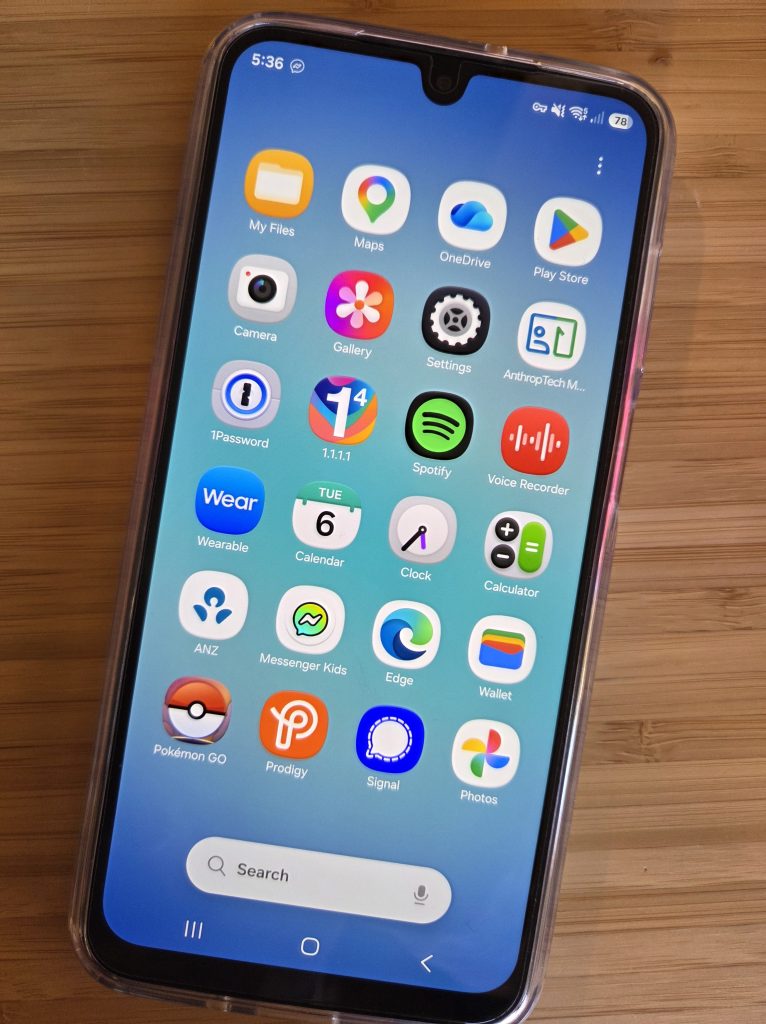
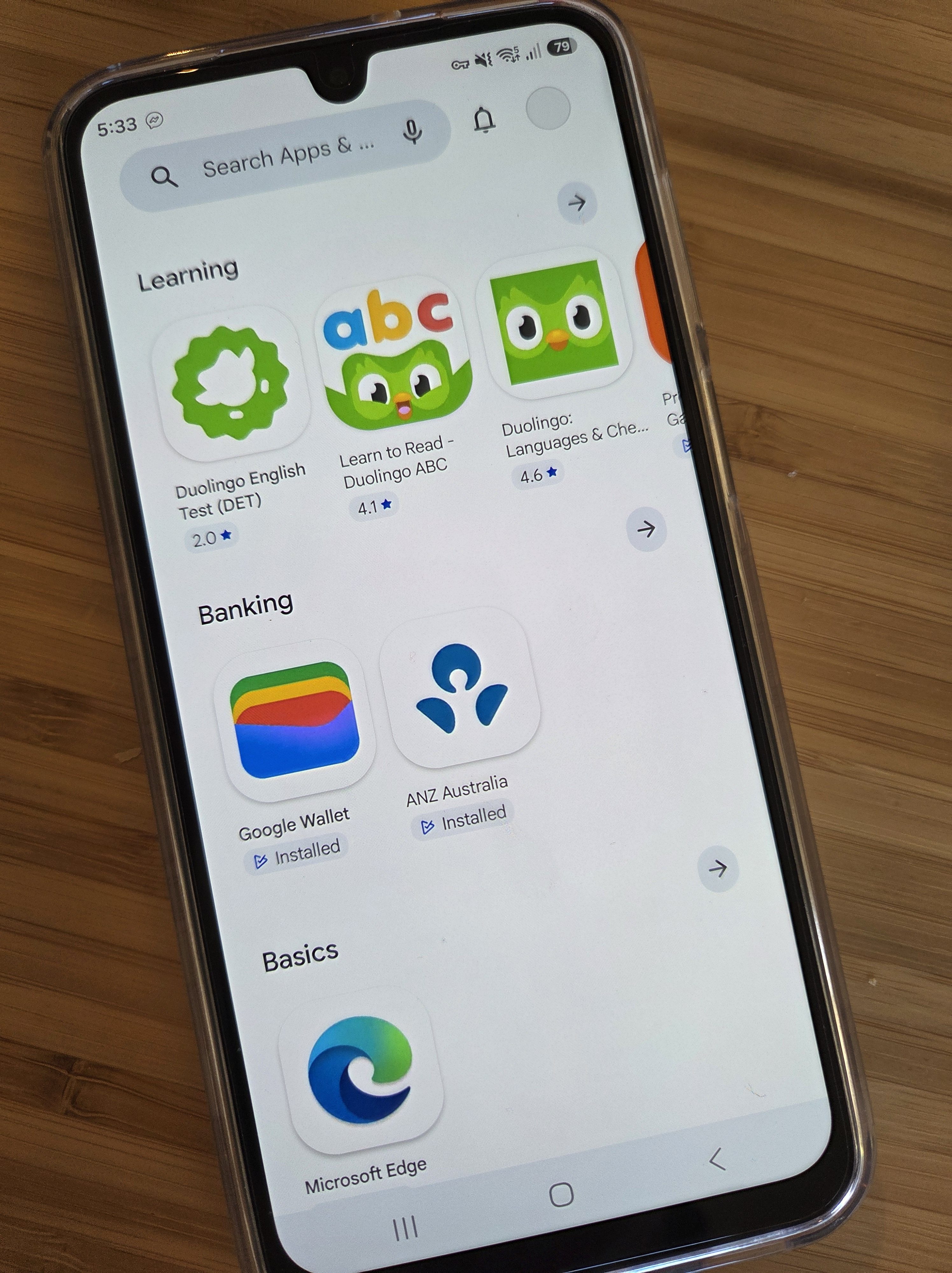
Here is what the Play Store Screen looks like, nothing beyond what is reviewed and published to them as safe and age appropriate. Note that not all the available apps are shown since many are already installed.
And here is the full list of Apps installed for this example user. Notice there are none of the normal built-in apps like Google Search Bar, Phone, Messages, Samsung Health etc. But we still allow Google Wallet so they can use ‘Tap and Go’ pay, or store tickets and cards if they have any.